PikGarden is a fan-made tracker for Pikmin Bloom's decor Pikmin collection. It helps players mark what they've collected and find nearby locations for what they're still missing.
TIMELINE
A week to launch. Ongoing adjustments since
STACK
Vanilla JS · Firebase Auth · Firestore · OpenStreetMap · Vercel · Claude Code
STATUS
Live · 1,000+ active users · app updated monthly
Where it started
I started playing Pikmin Bloom as a gentle reason to go outside more, and it woke up the completionist in me. With so many decor types and stages, tracking progress got hard fast, some players were building their own spreadsheets.
I wanted something usable across devices, and something that could actually help me find what I didn't have yet. I sketched the core concept, then opened Claude and got started.

The judgment calls
A few of the decisions along the way.
1. Designing for how a collector actually thinks
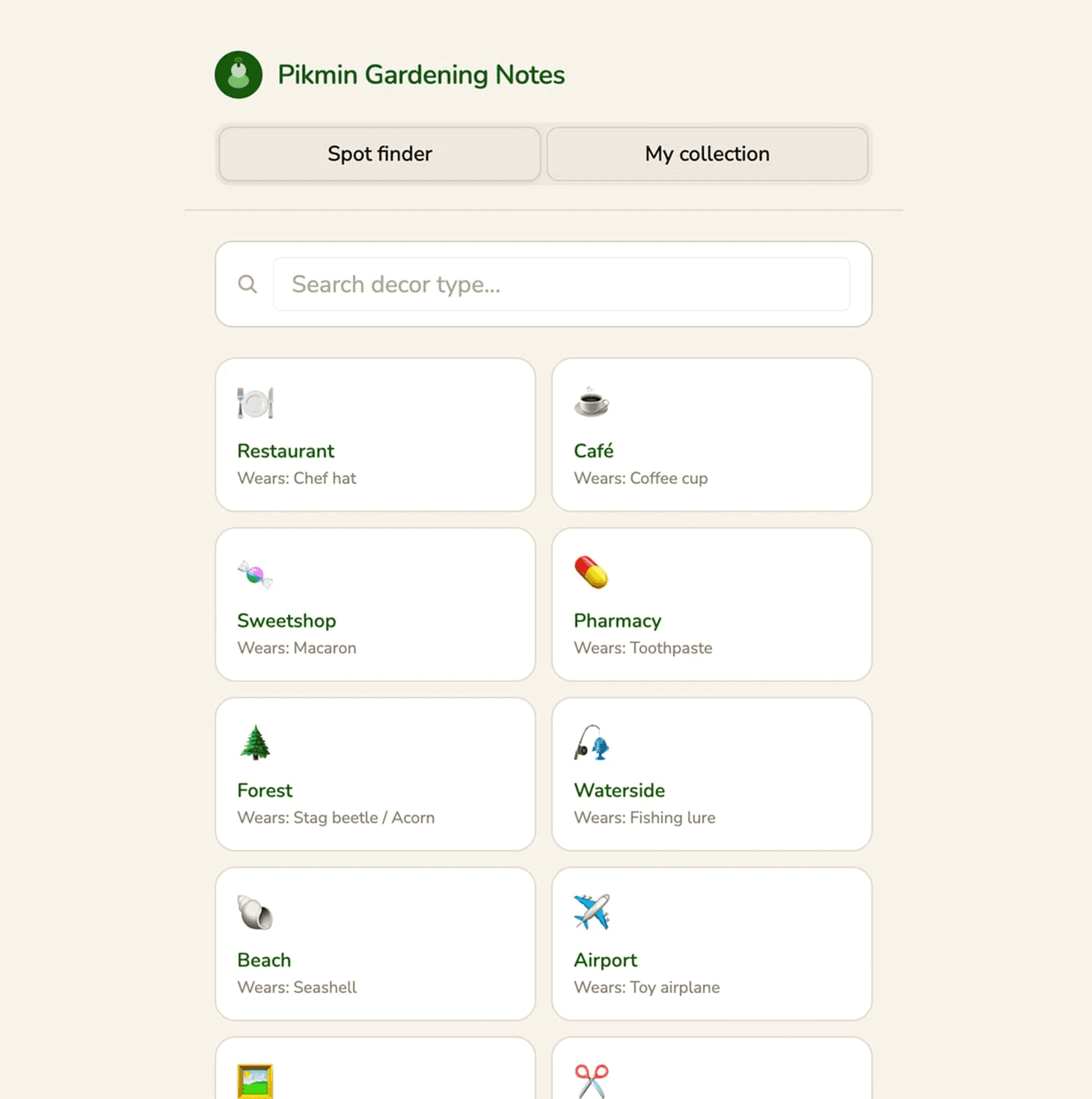
AI's first pass put 'Spot finder' before 'My collection,' technically fine, but backwards for how the app should be used. You need to know what you have before you can meaningfully search for what you don't.
I explained to Claude why the order was wrong, walking through how a collector actually opens the app, then had it swap the tab priority so collection came first.

2. Recreating what players already know
AI chose emojis for the category icons because they were the fast, easy choice. It’s functional, but generic and unfamiliar. I wanted the icons to match the visual language closely, lowering recognition friction instantly for players coming from the official game.
I mapped out which decor types could stay as emojis and which needed something more considered, then redrew the icons and medals myself in Figma, close enough to feel instantly familiar. Claude handled swapping them into the actual interface.
3. Adding friction on purpose
Most map-based tools using OpenStreetMap load the whole map at once, but that felt like the wrong default here, both technically (slow, heavy) and behaviorally (that's not how a collector actually searches). So I added a bit of friction on purpose, a few extra steps that match how someone actually looks for something, instead of dumping everything at once.
I described the actual sequence I wanted: confirm location, choose a decor, see a list first, then users can decide if they want to switch to the map view. Then I had Claude build it step by step rather than trying to spec the whole flow at once.
For directions themselves, I used Google Maps instead of OpenStreetMap, not because it's better, but because it's what people already use every day.
4. Small moments, made on purpose
I put care into the details people may or may not notice.
Custom Pikmin-shaped checkboxes that I drew instead of default UI checkmarks. Monthly events pinned at the top, so logging progress takes one glance. A small celebration when someone finishes a full collection. A stats view that shows exactly where you stand across every category.
I designed each of these myself, then had Claude build them out. Some solve a real need, knowing where you stand. Others just make the app feel a little more like being cared for. Either way, none of it was required. I added it because I wanted to.
Results
Built fast, still growing
I shipped the first version in about a week, then kept revising, adding features, and cutting some. It's now used by 1,000+ players with an average session of over 4 minutes, real use, not just a quick look.
I still update it monthly as new decor and events come out in the game, and I keep adding locales on my own time as I'm able to. → pikgarden.vercel.app
A note on process
This was my first project built with Claude. The workflow looked like:
Chat with Claude to think through the idea → Ship a working version → Go back to Figma for visual details → Back into code
My current workflow shifted project to project.